Graphical Tools to Transform Your Images For Free
Every tool you need for perfect images, right at your fingertips. Completely FREE and incredibly simple to use! Upscale, remove backgrounds, and make your perfect images and graphics with just a few clicks.
- Upscale Images upto 8x original quality.
- Get images in a transparent background in 3 seconds or less.
Free Image Hosting Fast & Secure Image File Hosting. Store, share & showcase your images.- Enhance Your Photos with Advanced AI
- Enhance Your Anime to Artistry
- Enhance Your Art with AI
- Sharpen Your Image: Free Image Sharpening Tool
- Transform Your Portraits with AI Face Enhancer
- Blur Your Image Background in Seconds
- Elevate Your Photos with a Black Background
- Transform Your Photos with a White Background
- Free Green Background Replacement Tool
- Your Free Pink Background Replacement Tool
- Get a Free Blue Background In Your Images
Keep Your Image Editing Simple
Wallpapers.com is your go-to destination for effortless image transformation. With our suite of tools, you'll have everything you need to begin, handle, and complete your image editing tasks with ease.
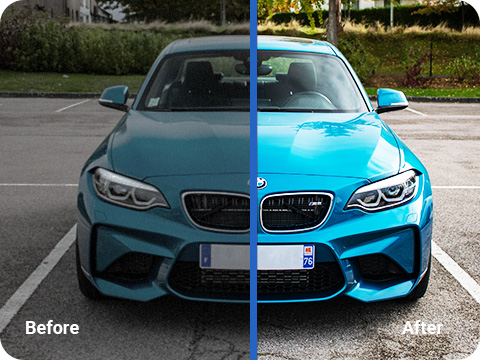


Why Choose Wallpapers.com’s Tools?
Widespread Trust
Millions of users rely on our platform to enhance their images effortlessly and creatively.
Highly Rated by Businesses
We stand out as a top-rated image editing tool on leading B2B software review sites, including Capterra, G2, and TrustPilot.
Trusted by Our Partners
Benefit from enhanced features through our partnerships, offering you a seamless experience with additional functionalities at no extra cost, ensuring you have all the tools you need for perfect image editing.
Continuous Support
Our dedicated support team is available 24/7 to assist you with any queries or issues, ensuring a smooth experience.
Advanced Security
We protect your data with 256-bit TLS encryption, ensuring the secure transfer and handling of your images.
Committed to Your Safety
Your security is our top concern. Wallpapers.com’s Tools adhere to the highest security standards and compliance with GDPR, CCPA, and nFADP regulations.
Try Wallpapers.com’s Tools’ Premium
Subscribe for just $9.99 per month and enjoy complete access to Wallpapers.com/tools' premium features, including exclusive image upscaling and background removal, for an unparalleled image editing experience.
Subscribe NowFAQ for Wallpapers.com’s Tools
- What is Wallpapers.com’s “Tools”?Wallpapers.com’s Tools is an online platform offering a suite of image editing tools designed to enhance, transform, and optimize your images with ease. From upscaling image resolution to removing backgrounds and hosting images, our tools are crafted to provide high-quality results for both personal and professional use.
- How do I use the Image Upscaler?To use the Image Upscaler, simply upload your image to the tool, select your desired upscale level (up to 4x the original quality), and click the upscale button. The tool will process your image and provide a download link to the enhanced version.
- Can I remove backgrounds from any image?Our Background Remover tool works best with clear, high-contrast images where the subject is easily distinguishable from the background. While it can process a wide range of images, results may vary with complex backgrounds or low-resolution images.
- Is there a limit to the number of images I can edit?Free users can edit a limited number of images per day. Subscribing to our premium plan offers unlimited access to all editing tools with higher limits, ensuring you can work on as many images as you need.
- How does the Free Image Hosting service work?Our Free Image Hosting service allows you to upload and store images on our secure servers. After uploading, you'll receive a link to share your image or embed it on websites and forums. Images are stored securely and can be accessed at any time.
- What file formats are supported by Wallpapers.com’s Tools?We support a variety of image file formats, including JPG, PNG, WEBP and HEIC. This ensures you can work with almost any image type without needing to convert files beforehand.
- Can I use Wallpapers.com’s Tools on my mobile device?Yes, Wallpapers.com is designed to be fully responsive and accessible on various devices, including smartphones and tablets. You can edit your images on the go, directly from your mobile browser.
- What is the cost of Wallpapers.com’s Tools premium subscription?Our premium subscription starts at $9.99 per month. This subscription grants you unlimited access to all our tools, increases your daily, and provides priority support.
- How do I cancel my Wallpapers.com’s Tools subscription?To cancel your subscription, go to your account settings and select the “My Subscription” tab. Follow the prompts to cancel your plan. If you encounter any issues, our customer support team is available to assist you.
- Is my data safe with Wallpapers.com’s Tools?We prioritize the security and privacy of your data. All images are processed with 256-bit TLS encryption, and we adhere to strict privacy policies to ensure your information and images are handled securely. Wallpapers.com/tools is also compliant with major data protection regulations.